
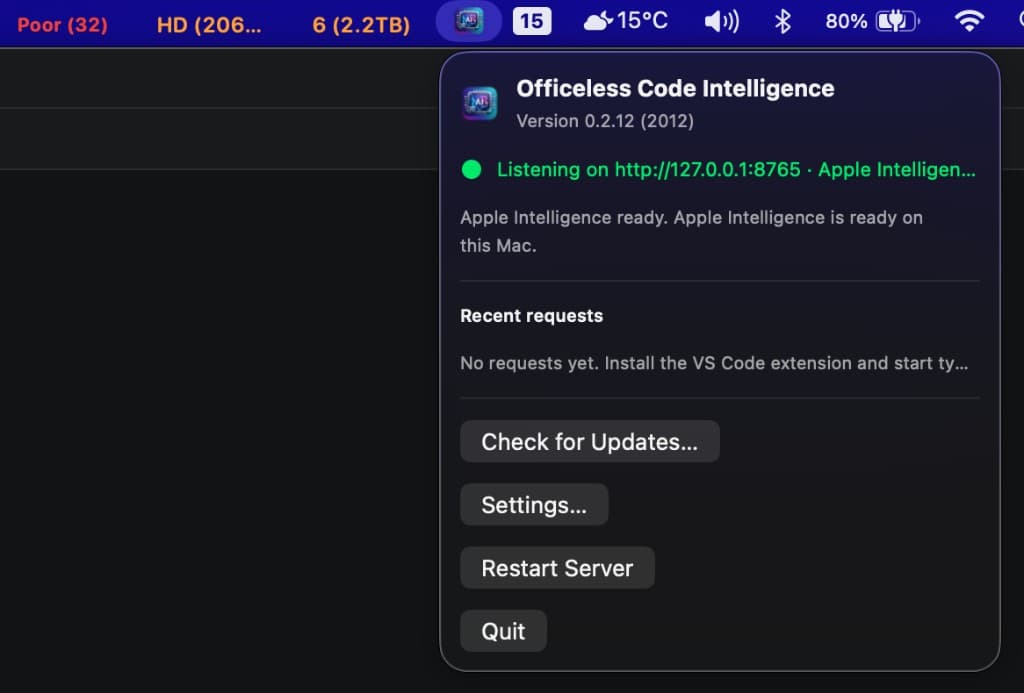
Menu bar control plane
After install, click the Code Intelligence logo in the menu bar. The popover shows version 0.2.12+, bridge status on port 8765, Apple Intelligence readiness, recent VS Code requests, and Sparkle update controls.
Download
Install the menu bar bridge with app-icon branding, Sparkle auto-update, and Apple Intelligence on localhost port 8765. Required before VS Code sidebar chat or terminal chat.
After install, click the Code Intelligence logo in the menu bar. The popover shows version 0.2.12+, bridge status on port 8765, Apple Intelligence readiness, recent VS Code requests, and Sparkle update controls.
Step 1 — Download
Click Download DMG above. The file is signed, notarized, and served from the release API.
Step 2 — Install
Step 3 — Verify the bridge
curl http://127.0.0.1:8765/v1/status
Next: Install the VS Code extension for sidebar chat and inline completion, or set up Codex-style terminal chat.
Release metadata
API: https://code-intelligence.vas.mekari.com/api/v1/plugins