
Embedded guardrails
Seven built-in extension modules mirror the ai-context/ library: global rules, platform APIs, frontend, design system, prompts, roles, and BYOK models.
Officeless Code Intelligence connects Mekari developers to safe, productive AI inside VS Code — with a local macOS runtime, guardrails aligned to Officeless standards, MCP tools for platform APIs, and releases you can trust.
Scroll for a guided tour: macOS bridge → VS Code extension → Code Intelligence IDE → guardrails → downloads.
Platform
Officeless Code Intelligence is Mekari's internal platform for building with AI — not a single app, but a connected set of runtimes, editor surfaces, guardrails, and release channels. Start with the overview below, then read each layer in order.
A lightweight menu bar agent exposes a localhost API. Apple Intelligence, Ollama, or cloud providers route through one control plane on your Mac.
Copilot-style sidebar chat, inline completion, and auto-apply — workspace-aware, with general or DevOps Central profiles.
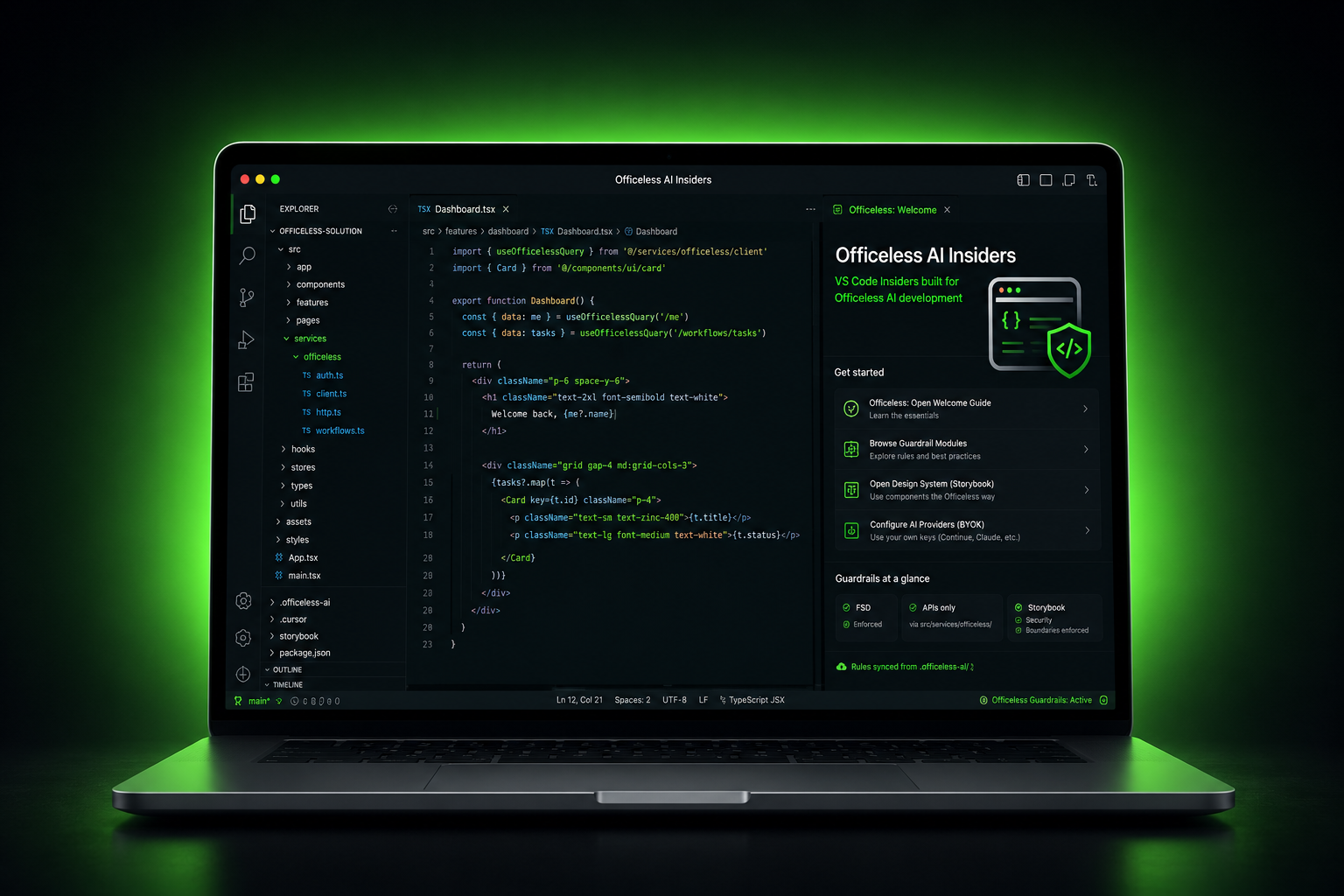
A branded VS Code branded IDE build for Officeless teams — welcome walkthrough, guardrails, and MCP wired in from first launch.
Markdown rules and Mekari IAM–backed MCP tools keep assistants inside FSD, documented APIs, and platform security boundaries.
Install the core agent, AI context hub, MCP explorer, and seven guardrail packs — standalone VSIX or bundled in the branded IDE.
01macOS bridge
Every Code Intelligence editor surface talks to a single HTTP API on 127.0.0.1:8765. The macOS menu bar app hosts that bridge — provider routing, privacy mode, Sparkle updates, and request transparency without a Dock icon.
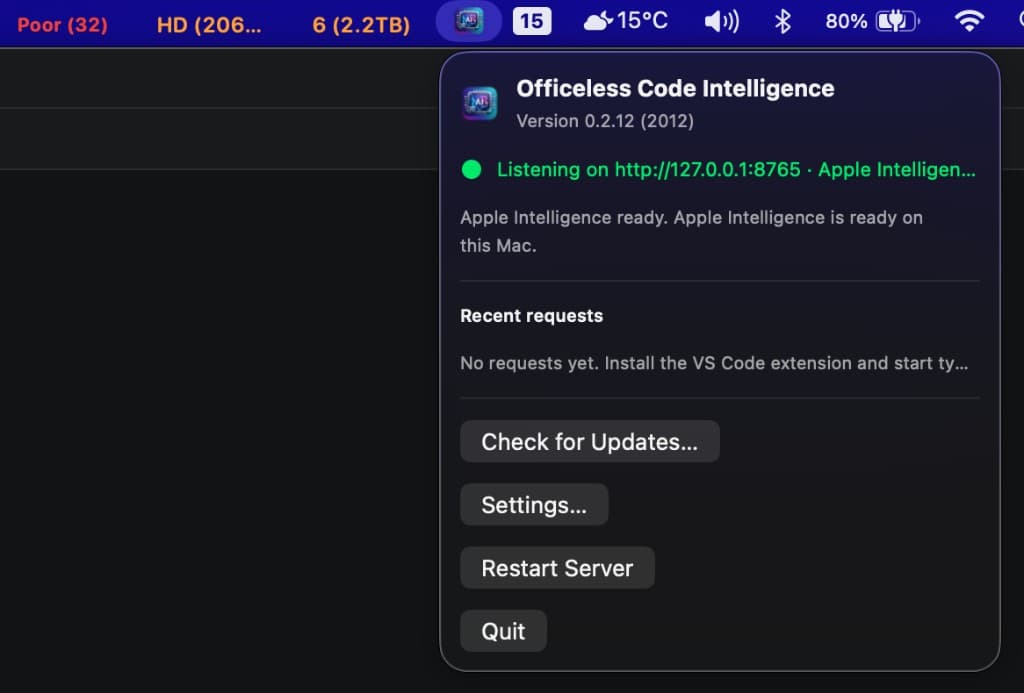
Bridge health, provider status, recent VS Code requests, and Sparkle update controls
02VS Code extension
Open the Code Intelligence panel from the activity bar. Describe what to build, ask about your open project, and get multi-turn answers powered by the local macOS bridge — no cloud required in local-only mode.
general or devops chat profiles.contextLines: 0 to send the entire open file as completion context.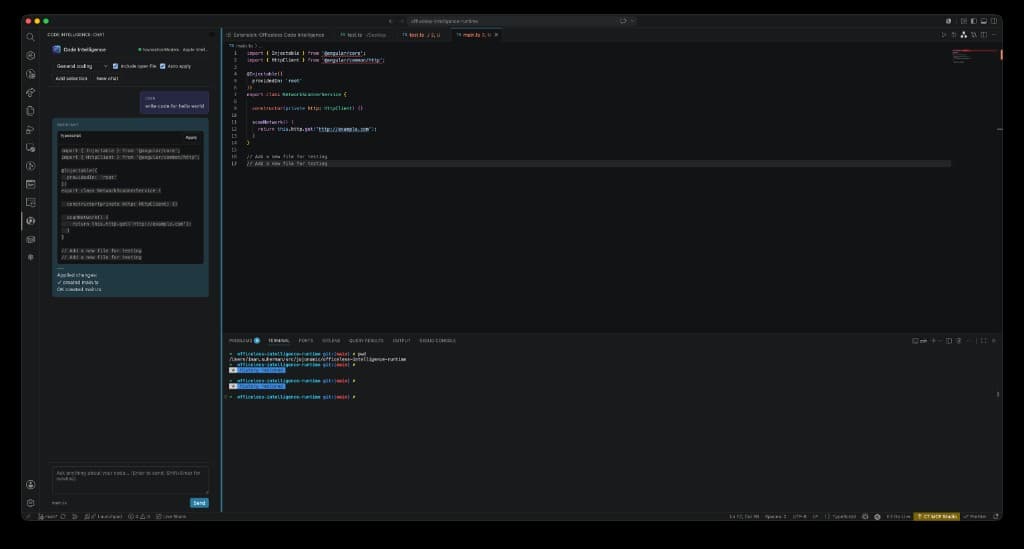
Connected to Apple Foundation Models · auto-apply enabled · workspace folder as project root
03Officeless Code Intelligence IDE
A branded editor with embedded guardrails, platform context, design system rules, and bring-your-own-key AI — so assistants stay inside FSD, APIs, and Mekari standards.
04Guardrails & MCP
Markdown rules bundled with Officeless Code Intelligence IDE constrain assistants so output stays aligned with FSD, documented APIs, and Mekari security standards — plus Officeless MCP for workflow and data tools.
In the branded IDE: Command Palette → Officeless: Apply Guardrails to This Project writes .officeless-ai/ into your workspace.
Seven built-in extension modules mirror the ai-context/ library: global rules, platform APIs, frontend, design system, prompts, roles, and BYOK models.
Officeless: Open Welcome Guide, step-by-step walkthrough on the Welcome page, and per-module guardrail browsers from the Command Palette.
Configure OpenAI, Claude, Bedrock, Cursor, Copilot, or self-hosted models. Built-in Microsoft Copilot stays optional to avoid forced sign-in.
Copy rules into any repo as .officeless-ai/, Cursor rules, Continue config, and Copilot instructions — from the IDE or npm run sync-context.
AI is steered toward src/services/officeless/ for HTTP, Storybook for UI, and human-reviewed tests before handover.
Mekari IAM OAuth connects the IDE to the Officeless MCP gateway — workflow, forms, data manager tools synced for Copilot Chat.
| Module | Focus |
|---|---|
| Global | System context, AI boundaries, security, dev/test/release rules |
| Platform | Officeless API integration, auth, workflows, embedded UI |
| Design System | Storybook — components and theming; no random UI libraries |
| Frontend | React, TypeScript, services, state, error handling |
| Prompts | Generate, review, refactor, and validate templates |
| Roles | Architect, QA, and solution engineer guides |
| AI Models (BYOK) | Per-provider BYOK notes (Cursor, Claude, OpenAI, Copilot, Bedrock, self-hosted) |
src/services/officeless/Full guides: code-intelligence.vas.mekari.com/guides · Code Intelligence IDE download
05Extension catalog
Install the core agent, AI context hub, MCP explorer, and guardrail modules individually — or use the branded IDE where they ship preloaded.
Standalone VS Code
mekari-vas.officeless-code-intelligenceCopilot-style coding chat and inline completion — Apple Intelligence (macOS menu bar app), Claude via Code Intelligence Gateway, Alibaba Cloud Model Studio Token Plan, or ai.suherman.net (Ollama).
Extensions → ⋯ → Install from VSIX… — or use Officeless: Check for Extension Updates when already installed.
Branded IDE + VSIX
mekari-vas.officeless-ai-contextHub extension — welcome walkthrough, guardrail catalog, connect AI providers, copy Cursor rules.
Built into Code Intelligence IDE; install VSIX on standard VS Code for guardrail hub commands.
Branded IDE + VSIX
mekari-vas.officeless-mcpMekari IAM OAuth → Officeless MCP gateway — tools explorer and native MCP sync for Copilot Chat.
Command Palette → Officeless: Connect MCP after install.
Branded IDE + VSIX
mekari-vas.officeless-guardrailsAll Officeless guardrail modules in one extension — global, platform, frontend, design system, prompts, roles, and AI models.
Command Palette → Officeless: Browse All Guardrails — single VSIX for all guardrail modules.
Optional — install via Extensions view or npm run install:extensions from officeless-code-intelligence.
| Extension | Extension ID | Purpose |
|---|---|---|
| GitHub Copilot | github.copilot | Inline suggestions and chat (sign in with org subscription).Extensions view → search by name, or npm run install:extensions from the repo. |
| GitHub Copilot Chat | github.copilot-chat | Copilot chat panel in VS Code.Extensions view → search by name, or npm run install:extensions from the repo. |
| Continue | continue.continue | BYOK chat and autocomplete — OpenAI, Anthropic, Ollama, and more.Extensions view → search by name, or npm run install:extensions from the repo. |
| Claude Code | anthropic.claude-code | Anthropic Claude assistant for VS Code.Extensions view → search by name, or npm run install:extensions from the repo. |
| Gemini Code Assist | google.geminicodeassist | Google Gemini coding assistant.Extensions view → search by name, or npm run install:extensions from the repo. |
| Playwright Test | ms-playwright.playwright | End-to-end testing for web apps.Extensions view → search by name, or npm run install:extensions from the repo. |
| ESLint | dbaeumer.vscode-eslint | JavaScript and TypeScript linting.Extensions view → search by name, or npm run install:extensions from the repo. |
| Prettier | esbenp.prettier-vscode | Code formatter for JS/TS, JSON, Markdown, and more.Extensions view → search by name, or npm run install:extensions from the repo. |
| Tailwind CSS IntelliSense | bradlc.vscode-tailwindcss | Autocomplete and linting for Tailwind classes.Extensions view → search by name, or npm run install:extensions from the repo. |
| Code Spell Checker | streetsidesoftware.code-spell-checker | Spelling checker for source code and docs.Extensions view → search by name, or npm run install:extensions from the repo. |
| YAML | redhat.vscode-yaml | YAML language support and validation.Extensions view → search by name, or npm run install:extensions from the repo. |
| REST Client | humao.rest-client | Send HTTP requests from `.http` files.Extensions view → search by name, or npm run install:extensions from the repo. |
In action
Sidebar chat, auto-apply, and extension settings — connected through the local macOS bridge when using Apple Intelligence.
Ask in plain language from the Code Intelligence activity bar panel. The assistant connects to Apple Foundation Models through the local bridge, respects your open workspace, and can auto-apply fenced code blocks straight into files — here a TypeScript service was created in main.ts after “write code for hello world”. Toggle Include open file, Auto apply, and DevOps profile from the toolbar.
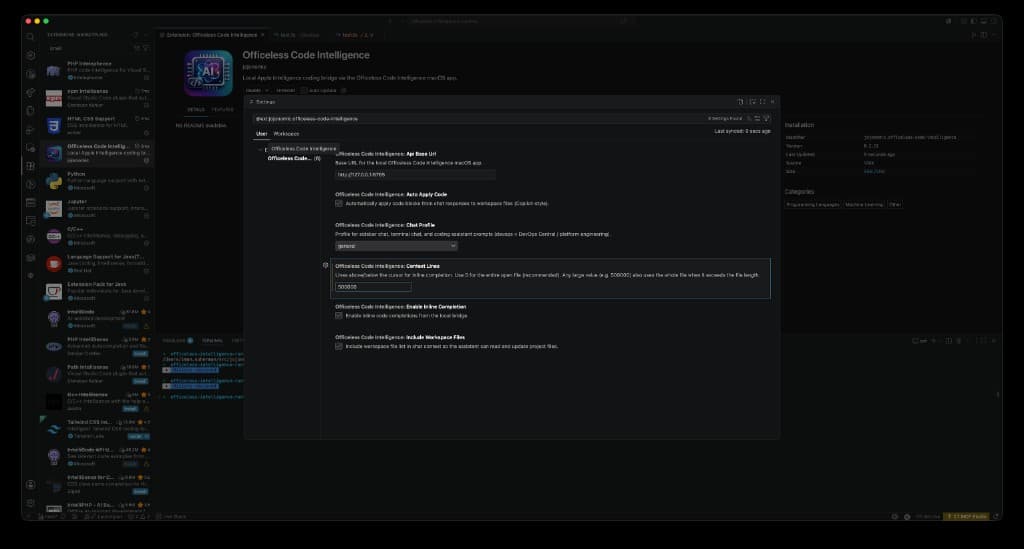
Fine-tune the extension in Settings: point Api Base Url at the local bridge, set Context Lines to 0 for the entire open file (or any large value for whole-file inline completion), enable Auto Apply Code and Include Workspace Files so chat sees your real project paths, and switch Chat Profile between general coding and DevOps Central.
Capabilities
Beyond sidebar chat and the macOS bridge — terminal REPL, DevOps profiles, selection commands, and flexible provider routing for Officeless workflows.
Copilot-style chat in the VS Code activity bar. Multi-turn conversations with workspace file context, open-file awareness, and optional auto-apply of code blocks.
Assistant replies with fenced code can be written directly into project files — create or update paths inferred from your prompt and the open editor.
Set contextLines to 0 to send the entire open file to the bridge. Ghost-text completions use prefix, suffix, and full nearbyCode for better suggestions.
Prompt-only REPL in Terminal.app or VS Code's integrated terminal. Attach files, switch DevOps profile, and keep multi-turn history in the session.
Chat and CLI use your open VS Code folder as the project root — real paths, file lists, and contents instead of generic placeholders.
Tuned for K3s, Argo CD, Terraform, secret-broker, vas-access-hub, and hetzner-platform-foundation GitOps workflows.
Select code and run Explain Selection, Refactor Selection, or Ask About Selection — context goes to the local bridge and opens beside your editor.
On-device language model through Foundation Models on macOS 26+, with Private Cloud Compute where available. Provider routing to Ollama, OpenAI, or Anthropic when configured.
Lightweight macOS agent with the Code Intelligence logo in the menu bar. Shows provider status, privacy mode, Sparkle auto-update, and localhost :8765 health.
Terminal chat
Not a code editor. Like OpenAI Codex or Gemini CLI: open a terminal, type a prompt, get coding answers. All inference stays on your Mac through the menu bar bridge — lighter on memory than running a full IDE AI stack.
/file Makefile, or ask from VS Code with selected code.POST /v1/chat.Quick start
# 1. Launch the macOS menu bar app (bridge on :8765)

# 2. Install CLI from the repo
git clone https://bitbucket.org/jojocoders/officeless-intelligence-runtime.git
cd officeless-intelligence-runtime
npm run cli:install

# 3. Start interactive chat
npm run chat

# DevOps Central / platform engineering profile
npm run chat -- --devops

# One-shot question
npm run chat -- -m "How do I deploy secret-broker to prod-vas?"

# Attach a file as context
npm run chat -- --devops -f gitops/applications/secret-broker/deployment.yaml \
  -m "Explain this deployment and common failure modes"
REPL commands
VS Code integration
Prefer a panel over the terminal? Click the Code Intelligence icon in the VS Code activity bar for Copilot-style sidebar chat with workspace context and auto-apply. Or use Command Palette (⇧⌘P) → Officeless: Open Chat Panel.
For terminal REPL: Officeless: Open Terminal Chat opens Officeless Chat in the integrated terminal. Uses your workspace folder and chatProfile from VS Code settings. See the VS Code install guide for sidebar chat, inline completion, and settings.
Architecture
VS Code uses one extension with two inference backends. Point at the local macOS bridge for Apple Intelligence, or at Alibaba Token Plan for organization-hosted models — same chat UI, inline completion, and auto-apply in both modes.
Inline completion
POST /v1/code/complete
{
  "language": "typescript",
  "filePath": "src/api/users.ts",
  "prefix": "... entire file before cursor when contextLines is 0",
  "suffix": "... after cursor",
  "nearbyCode": "... full open file",
  "instruction": "complete the next tokens at the cursor"
}
Sidebar chat
POST /v1/chat
{
  "message": "Add a health check route to server.ts",
  "filePath": "/Users/you/project/src/server.ts",
  "context": "... workspace file list + open file + selection",
  "profile": "general",
  "history": [
    { "role": "user", "content": "..." },
    { "role": "assistant", "content": "..." }
  ]
}
Endpoints
Privacy
Officeless Code Intelligence is designed for teams that want Apple Intelligence in the editor without routing every keystroke through a remote SaaS API.
Code context stays on your Mac. Cloud providers are disabled until you change privacy mode.
Strip full file paths from prompts before they reach any model backend.
Recent requests are stored in the menu bar app for transparency, not uploaded anywhere.
The bridge listens on 127.0.0.1 only. Nothing is exposed to your network.
Get started
Install the VS Code extension, then choose Apple Intelligence (local macOS bridge) or Alibaba Token Plan (cloud). See the VS Code install guide for both setup paths.
Code Intelligence IDE
Branded VS Code with embedded guardrails, Officeless MCP, welcome walkthrough, and BYOK-ready AI — macOS and Windows installers.
Download branded IDE →VS Code
One extension — configure Apple Intelligence or Alibaba Token Plan. Sidebar chat, model picker, auto-apply, and inline completion.
Install extension →macOS app
Required for Apple Intelligence backend. Menu bar bridge on localhost :8765, Sparkle auto-update, on-device Foundation Models.
Download & install →Terminal chat
Codex-style REPL — requires the macOS bridge (Apple Intelligence backend). DevOps profile and file attachments.
Set up terminal chat →